Babe Ruth League
Earn your Babe Ruth League coach certification
More than 15 years ago, Babe Ruth League partnered with leading coaching education provider Human Kinetics Coach Education to develop and deliver online courses for Babe Ruth League. Since then, nearly 250,000 baseball and softball coaches have earned their certification through the courses. This education helps ensure Babe Ruth League coaches have the knowledge and tools needed to provide athletes with the most positive sport experience possible.
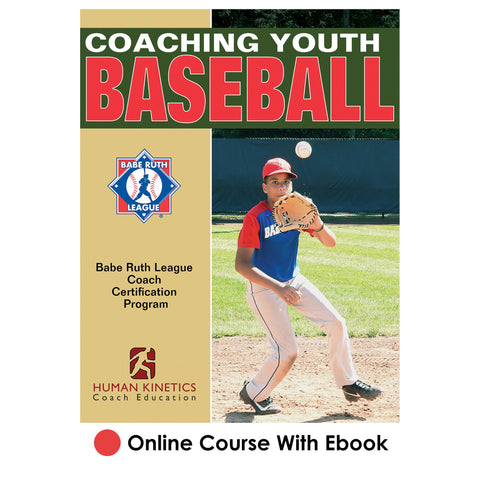
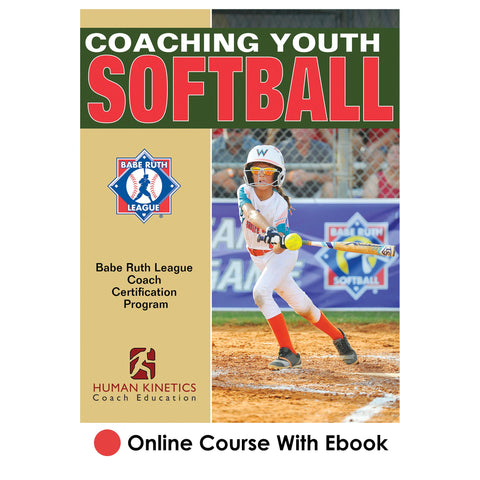
The Coaching Youth Baseball the Babe Ruth League Way Online Course and Coaching Youth Softball the Babe Ruth League Way Online Course present the fundamental coaching concepts, responsibilities, and the most important coaching points of the major skills and tactics of youth baseball and softball.
To get your certification, begin by purchasing the course. Course access instructions will be emailed to you immediately, and when you have completed the course, you can print a certificate of course completion from the website to document your achievement and submit to your league administrator.
Get started today!
About Coach Certification
There is no one single action that can have more of a positive impact on our players than improving the quality and knowledge of our managers and coaches. Managers and coaches are the ones who spend the most time interacting with our participants and the ones who can make a child's experience in youth sports fun and memorable. Therefore, it is vital for youth coaches to be properly trained to focus more on the child's baseball and softball experience and less on winning games.
With this in mind, the Babe Ruth League Coaching Certification Program was developed. Under the program, all Babe Ruth League-affiliated baseball and softball coaches must complete coaching education and certification.
The Babe Ruth League Coaching Certification Program consists of the following online courses:
- Coaching Youth Baseball the Babe Ruth League Way
- Coaching Youth Softball the Babe Ruth League Way
Babe Ruth League, Inc. exclusively endorses these online courses for certification. The courses were developed and are delivered by Human Kinetics Coach Education.
Coaches who successfully pass the course for the sport they coach receive a certification that is valid for their entire coaching career with Babe Ruth League, Inc.
Babe Ruth League, Inc., their affiliates, and their respective officers and agents cannot control who goes through the certification process as it is open to all interested coaches. Babe Ruth League, Inc. requires all of its coaches to have background checks. Babe Ruth League, Inc. recommends Sports Engine Verify for the background-check service. Once a volunteer has successfully completed a background check, it is valid for a two-year period.
About Babe Ruth League
The Babe Ruth Baseball/Softball program, using regulation competitive baseball and softball rules, teaches skills, mental and physical development, a respect for the rules of the game, and basic ideals of sportsmanship and fair play. In all aspects, Babe Ruth League, Inc. is committed to providing our participants the very best educational, sports experience possible. It is our fundamental belief that every child with a desire to play baseball or softball be afforded that opportunity.
 "At Babe Ruth League Inc., we feel there is no one single action that can have more of a positive impact on our players than improving the quality and knowledge of our managers and coaches. Every manager and coach has an obligation to provide players with the best instruction and leadership possible. This is the driving force behind Babe Ruth League's partnership with Human Kinetics and our commitment to providing the best possible training for Babe Ruth League coaches."
Steven Tellefsen
President/CEO
Babe Ruth League Inc.
About Human Kinetics Coach Education
Human Kinetics Coach Education is the leading provider of youth, high school, and elite-level sport education programs in the United States. Rooted in an athlete-centered philosophy that places the developmental needs of sport participants ahead of winning at all costs, Human Kinetics Coach Education has educated more than two million coaches, officials, sport administrators, parents, and athletes. For more than 40 years, local, state, and national sport organizations have partnered with Human Kinetics to lead the way in making sport a safe, successful, and enjoyable experience for all involved.
Buy Course
Baseball and softball coaches affiliated with Babe Ruth League are required to become certified by purchasing and taking the course for the sport coached. It’s an investment that will provide dividends for seasons to come.
To purchase your course, click on the appropriate course image at the bottom of the page. During the purchase process, you will be asked to affiliate with an organization. Select "Babe Ruth League" as your organization. You'll then return to this page, reselect your course, and add to cart. After purchasing your course, you will receive an email containing instructions and link for accessing your course.
Purchasing Courses in Bulk
If you are a league administrator purchasing courses in bulk (two or more courses) to assign to your coaches, click on the course you want to purchase, adjust the quantity in your shopping cart, and complete your transaction. You will receive an order confirmation email containing a link and instructions for assigning the courses to your coaches. Please note that there are no discounts on bulk purchases.
Click here for additional assistance with purchasing courses in bulk.
Take Course/Print Certificate
If you purchased your course after November 1, 2022 Take course/Print certificate
If you purchased your course on or before November 1, 2022 Take course/Print certificate
We recommend you print a certificate of course completion for yourself to document your achievement and print and/or save a copy for league records. As coach, you are responsible for providing your certificate of course completion to your league administrator.
After clicking on one of the links above, sign in using the email address and password you used when you took the course. If you do not remember the email address you used when you took the course, please contact us. Do not attempt to create a new account; this will result in a duplicate record, which will cause delays.
Frequently Asked Questions
The requirement is that all baseball and softball coaches affiliated with Babe Ruth League and Cal Ripken Baseball must complete coach education and certification.
Babe Ruth League coach certification is a lifetime certification. Coaches who successfully pass the course will receive a certification (for that sport) valid for their entire coaching career with Babe Ruth League, Inc.
The courses are web-based with all content delivered online (nothing will be mailed to you). The courses include the respective ebook Coaching Youth Baseball or Coaching Youth Softball.
Yes, coaches are required to be certified in the sport they coach.
Coaches should expect to spend two to three hours going through the course and taking the test.
Yes, league administrators have the option of purchasing courses in quantity and distributing them to their coaches. Click here for more information. Please note that there are no discounts on bulk purchases of Babe Ruth League courses.
The policing of certifications rests with the local league and local league president. Coaches who refuse to take a certification course will not be allowed to coach in the local league or coach a tournament team. Coaches who are coaching a Babe Ruth Baseball, Cal Ripken Baseball, or Babe Ruth Softball tournament team are required to show their certificate as part of their tournament documents.
For additional FAQ, click here.
Can't find the answer you're looking for? Contact us.
BRL Coaches Registry
Babe Ruth League administrators can look up coaches to verify course completion. From the drop-down menu, select “Babe Ruth League” as your organization, then enter name, state, ZIP code, and/or date range and click the “Search” button. Note that coaches who have requested to be removed from the registry will not show up.
Coaches can print their course completion certificates from the website. As league administrator, have your coaches use this tool and provide you with the documentation you need for league records and binders.
If you need any assistance with documenting coaches' course completion, contact us.